Organize your datasets
Bring mission-specific imagery together in Studio. Organize datasets, review labels and prepare representative examples for training and validation.
 edge
edgeStart with our supplied base models, ready to use or refine for your mission. Organize datasets and (re)train on your own hardware with Jump Edge Studio, then deploy to edge devices or our tactical app with TAK integration.
Explore the workflow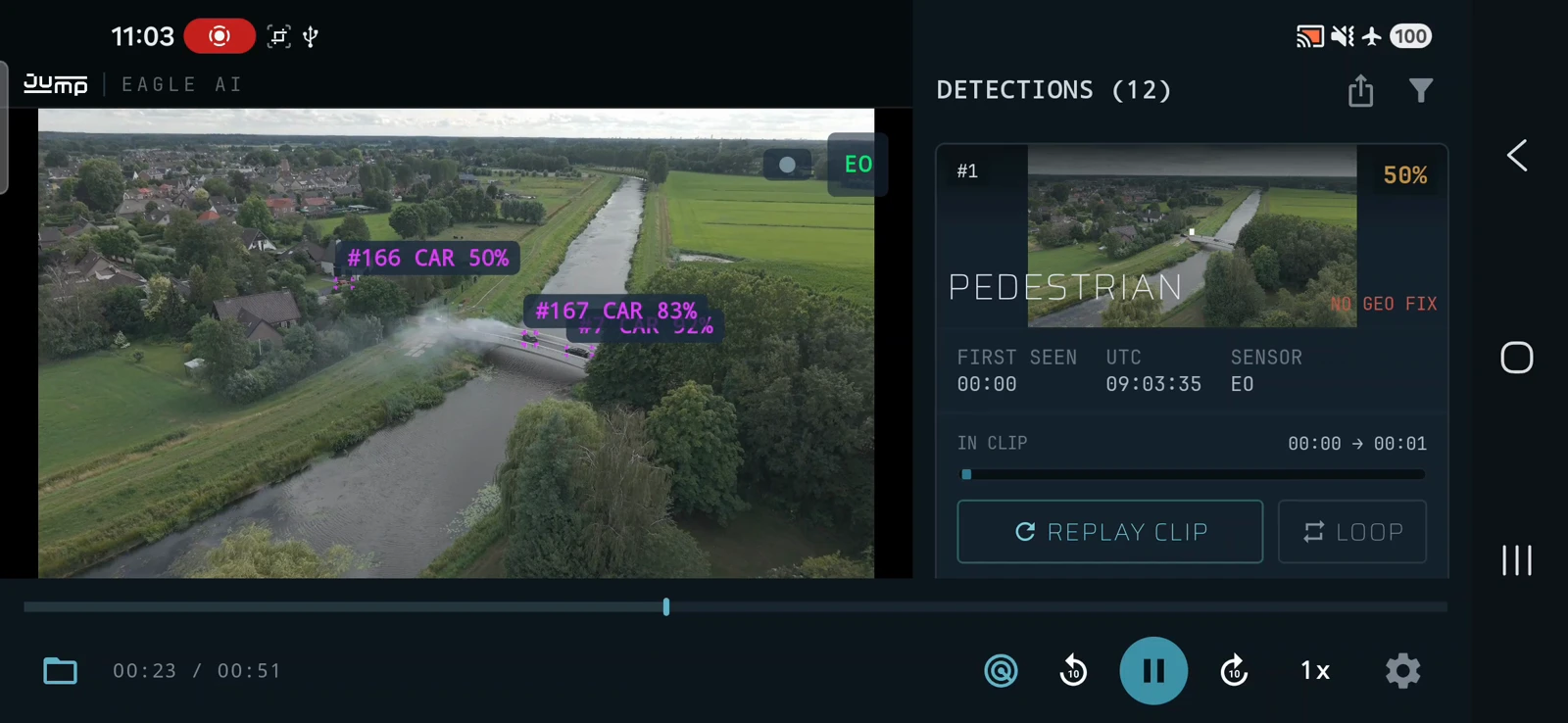
Bring mission-specific imagery together in Studio. Organize datasets, review labels and prepare representative examples for training and validation.
We supply base vision models you can use directly or fine-tune for your use case. When your mission calls for more specific recognition, train or retrain them in Studio using your own datasets and hardware.
Validate against representative data and the intended device, balancing recognition quality with available compute, memory and power.
Prepare the approved model for its target hardware and transfer it through your agreed deployment route.
Deploy to a compatible edge computer on a drone, vehicle or other platform.
Inference runs on the device.
Deploy to the Android app for local vision AI and operator review.
Share operator-reviewed observations with your TAK environment.
Bring new imagery and operator feedback back into your datasets. Retrain, validate and redeploy when the mission or conditions change.
Designed for DDIL: disconnected, disrupted, intermittent and limited-bandwidth environments.
Organize data and train models within your infrastructure. Run inference locally on the deployed device.
Keep imagery, models and release decisions within your environment, with agreed access and approval procedures.
Move imagery and model updates through available local communications or an agreed offline transfer route.
Training, target hardware, offline deployment and model validation.
A concrete use case is enough. We discuss your available imagery, intended devices and operational environment, then define the model, training, integrations and validation needed. You do not need an existing AI model; we can supply and train it as part of the solution.
Yes. The training and labelling software can run on suitable local compute within your own infrastructure. Prepare image datasets, review labels and train or retrain models without a cloud dependency. Required compute and training time depend on the model, dataset and available hardware.
Yes. We supply base vision models and train or adapt models for your application as part of the overall solution. This lets us align recognition, runtime compatibility and performance with the intended device and workflow. Examples include people and vehicle recognition in RGB or IR-grayscale imagery using separate models. Specific objects and conditions require suitable training data and validation. If you already have a model, we can assess whether it is suitable for reuse and validate its compatibility and performance on the selected hardware.
Yes. Local inference, human review, labelling, retraining and model deployment can be organised without internet or cloud access. Offline does not mean that devices exchange data without a transfer path: ATAK sharing and moving models or imagery require suitable local communications or physical transfer. We define that path as part of the deployment.
We reduce and optimize models for the selected device, aligning them with its runtime, memory, processing and power budget. We evaluate model size, inference speed and recognition quality together on representative data and target hardware. Smaller models involve trade-offs, so acceptance criteria are agreed for the application rather than assuming unchanged accuracy.
Yes. Compatible models can run on edge computers, including onboard hardware on drones and vehicles. This is distinct from analysing drone imagery on a tactical Android device. We check model format, runtime, accelerator support, memory, power and performance for the target device.
Offline deployment allows imagery, labels and model files to remain within your controlled environment. We scope access control, storage and transfer protection, model approval and update procedures with your security team. The controls and any accreditation requirements are confirmed for the specific deployment; offline operation alone is not a security guarantee.
A model can become less reliable when terrain, seasons, sensors, viewpoints or object types differ from its training data. Use operator feedback and representative new images to identify those gaps. Label and retrain locally, then compare the updated model against both new examples and an existing validation set before approving deployment.
Human review remains part of the reconnaissance workflow: an operator checks detections before sharing them. For model updates, agree acceptance criteria and review false positives, missed detections and performance on target hardware. Keep the previous model available as a fallback and approve each new version before use.
Let’s discuss your use case, available imagery and target hardware, and define a practical route from training to deployment.